
What Is Ultraworkers Claw-Code? (And How to Build It)
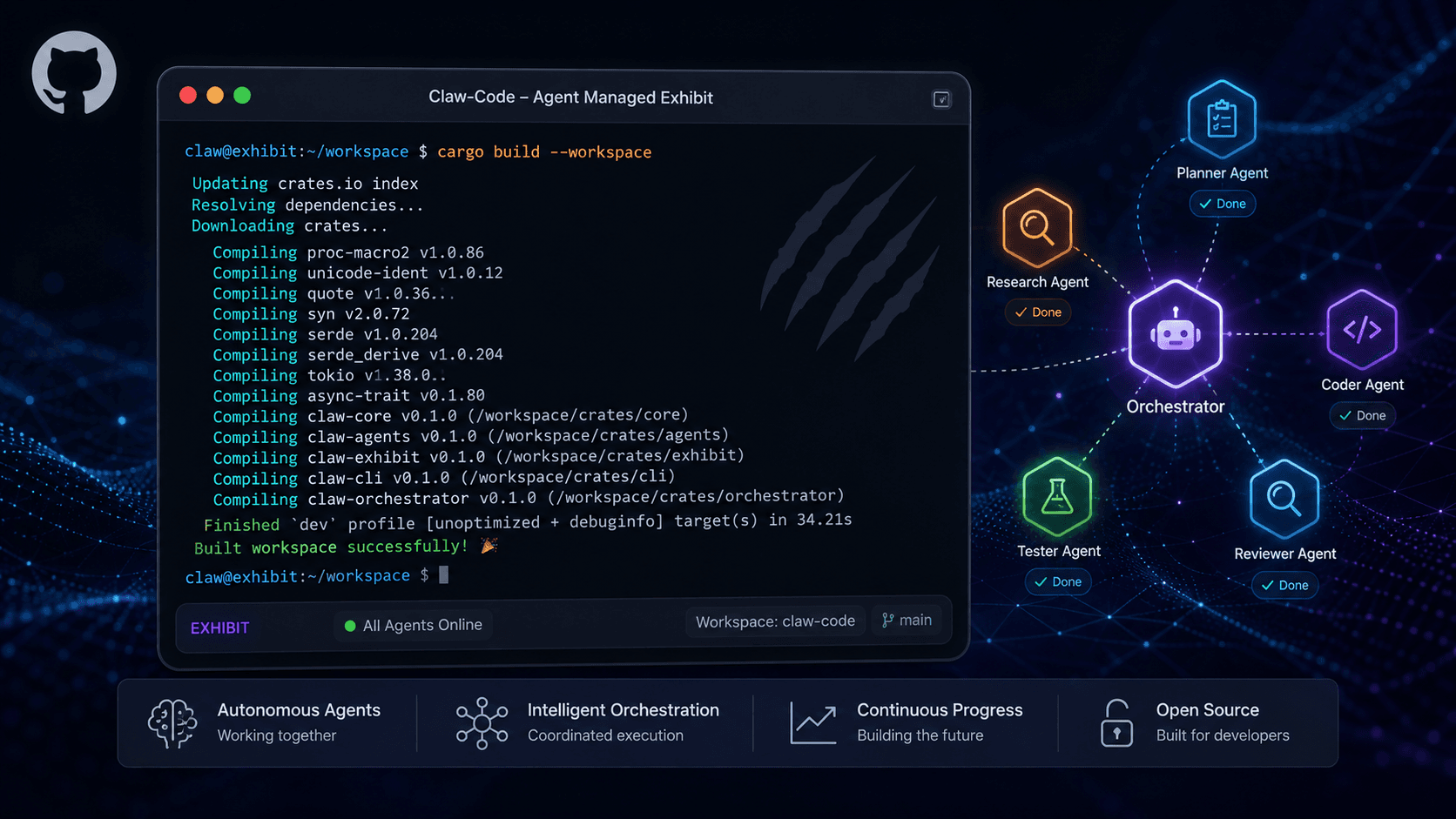
Ultraworkers Claw-Code is a highly popular, open-source GitHub repository built in Rust that functions as an "agent-managed museum exhibit." Unlike traditional AI coding assistants, it is not designed to be a hand-operated, production-ready product. Instead, it serves as a living artifact demonstrating autonomous AI development workflows. If you want to explore its architecture, you must build it from source, as the standard package manager installation only provides a deprecated placeholder.
This guide explains exactly what the project is, who it is for, and the precise steps to get it running without falling into common installation traps.
Who Is Claw-Code For?
Understanding the target audience prevents frustration before you even type your first command. Claw-Code is specifically designed for:
- AI Researchers and Engineers: Professionals studying autonomous agent workflows, self-healing codebases, and AI-driven software maintenance.
- Rust Developers: Engineers interested in exploring a complex, real-world Rust workspace that includes companion Python auditing tools.
- Open-Source Enthusiasts: Curious developers who want to inspect a viral, community-driven artifact (the repository has garnered significant attention for its unique "no human intervention" philosophy).
Who it is NOT for: Beginners looking for a plug-and-play IDE plugin or a direct, polished replacement for tools like GitHub Copilot. If you need a daily driver for writing code, this repository explicitly directs you elsewhere.
The Most Common Installation Mistake (And How to Avoid It)
The Myth: You can install Claw-Code like any standard command-line tool using cargo install claw-code.
The Reality: The claw-code crate published on crates.io is intentionally a deprecated stub. If you run this command, it will install a dummy executable that does nothing but print: "claw-code has been renamed to agent-code."
The actual, functional codebase is build-from-source only. The developers maintain it this way because the repository is an "agent-managed exhibit," not a packaged consumer product.
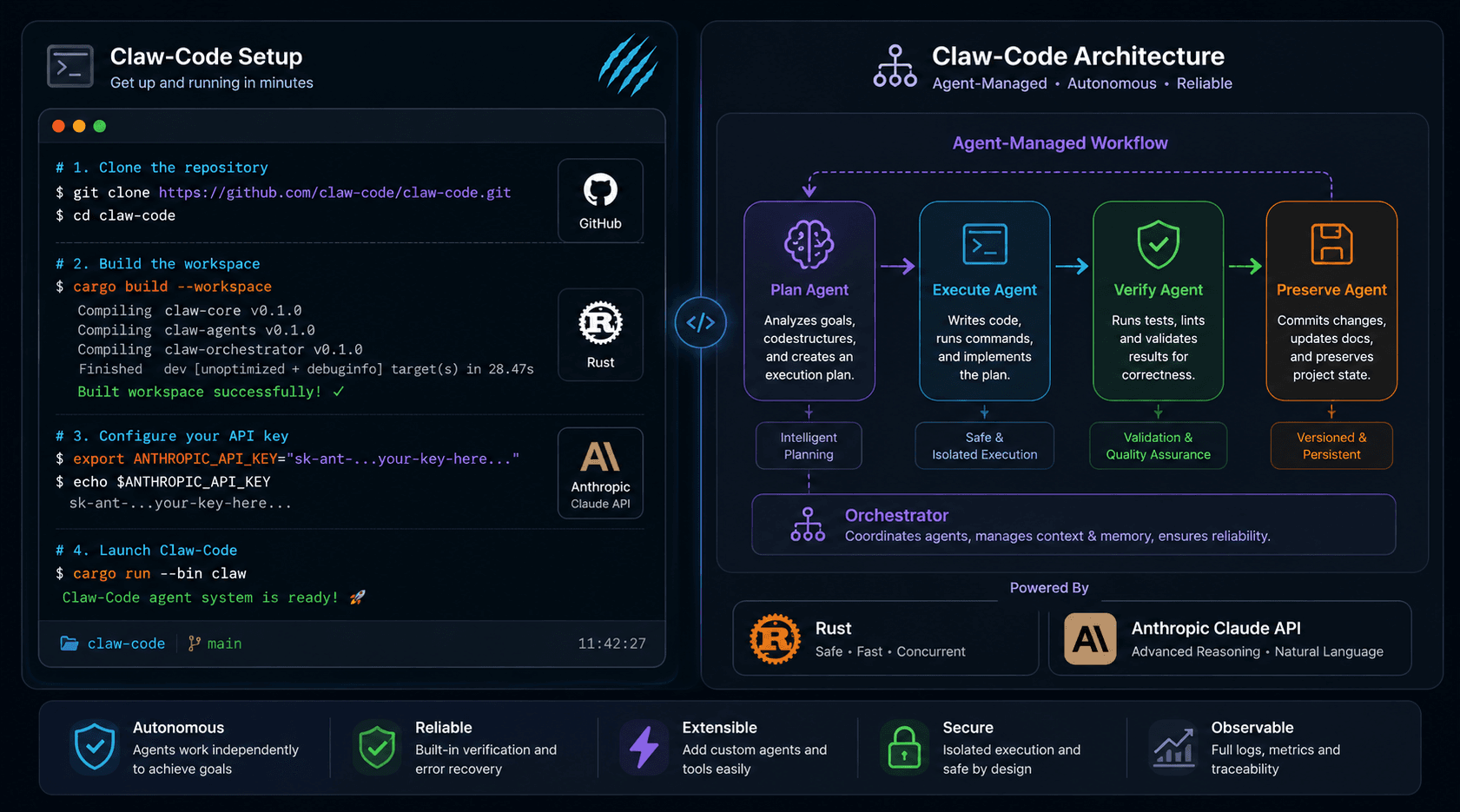
Step-by-Step: How to Build Claw-Code from Source
Prerequisites
- Rust Toolchain: Ensure you have Rust and Cargo installed via the Official Rust Installation Guide.
- Git: Required to clone the repository.
- Anthropic API Key: Claw-Code requires a valid Anthropic API key (starting with
sk-ant-). You can generate one in your Anthropic API Documentation dashboard.
Pro Tip: If you're testing AI workflows and want to avoid API costs during development, consider exploring free LLM API alternatives that aggregate multiple providers' free tiers for prototyping before committing to paid API keys.
Step 1: Clone the Repository
bash
Step 2: Build the Workspace
bash
Step 3: Set Your API Key
bash
Step 4: Verify the Installation
bash
Step 5: Run a Test Prompt
bash
Production Alternatives: What to Use Instead
The Ultraworkers Claw-Code Official Repository explicitly states it's not meant for serious production work. If your goal is to actually automate development tasks, explore these alternatives:
- Agent-Code: The canonical, actively maintained successor.
- LazyCodex: A streamlined AI coding assistant for practical workflows.
- Gajae-Code: Optimized for autonomous code generation.
For developers seeking cost-effective testing environments before deploying production AI tools, our comprehensive guide to free LLM APIs covers self-hosted routers that aggregate 300+ models with billions of free tokens monthly—perfect for prototyping agent-based systems without immediate API expenses.
Frequently Asked Questions
Is Ultraworkers Claw-Code production-ready?
No. The developers explicitly describe it as a "museum exhibit" rather than a product pitch. It's an agent-managed artifact designed to showcase autonomous development philosophy.
Why does cargo install claw-code fail?
The claw-code package on crates.io is intentionally maintained as a deprecated stub pointing users to build from source or use the upstream agent-code binary.
What API key is required to run Claw-Code?
Claw-Code requires a direct Anthropic API key (e.g., sk-ant-...), not a standard Claude.ai web subscription. For development testing without costs, check our free LLM API guide for alternatives.
How does Claw-Code differ from standard AI coding tools?
Standard tools are designed for human-driven prompting. Claw-Code is architected as a self-maintaining ecosystem where autonomous agents handle planning, execution, and verification with minimal human intervention.
Conclusion
Ultraworkers Claw-Code offers a rare, transparent look into how autonomous AI agents can manage, build, and maintain a complex Rust codebase without human intervention. While not the right tool for developers seeking a plug-and-play coding assistant, it's invaluable for AI engineers studying the future of agent-driven software development. By avoiding the deprecated cargo install trap and building from source, you can safely explore this unique architectural exhibit. For actual production work, pivot to recommended upstream tools like agent-code or LazyCodex.