
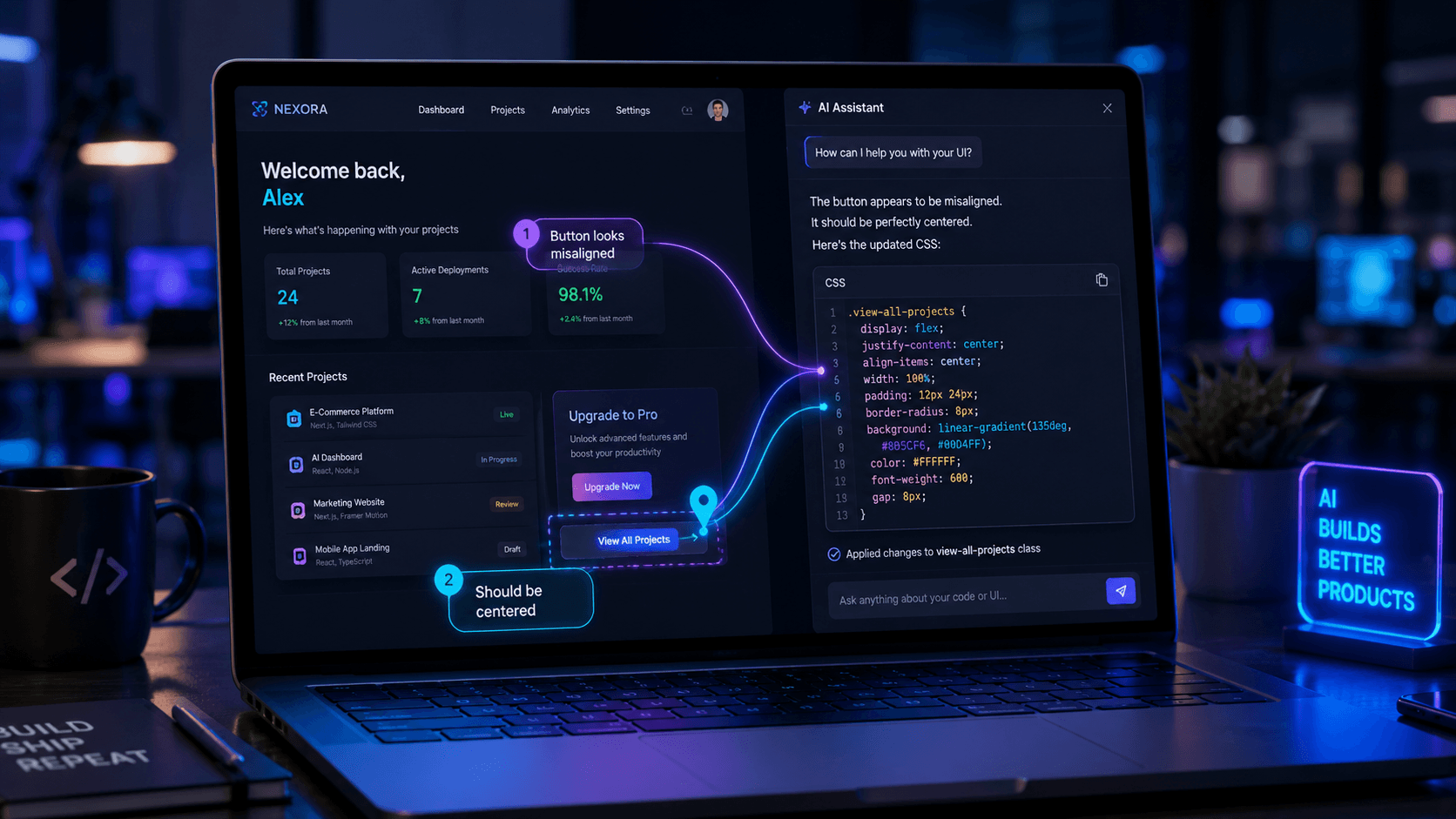
What Is Agentation? The Visual Feedback Tool for AI Coding Agents
Agentation is a free, agent-agnostic visual feedback tool designed specifically for AI coding agents. It lets developers click on UI elements, add notes, and generate structured, copy-pasteable context helping AI tools like Cursor and GitHub Copilot understand and fix visual bugs accurately, without relying on vague text prompts.
When working with AI coding assistants, frontend developers often hit the same frustrating bottleneck: the AI can't "see" the screen the way a human can. If an AI generates a hero section where the text overlaps the background image, typing "fix the layout" into the chat usually produces hallucinated CSS or broken code. Agentation bridges that gap by acting as a visual translator between human perception and machine logic. Instead of describing a misaligned button in plain English, you simply click it and Agentation turns that UI annotation into structured context the AI agent can act on.
Why AI Coding Agents Struggle With Visual UI Bugs
The core challenge with AI coding agents tools such as Cursor, GitHub Copilot Workspace, Aider, or Devin is their reliance on text-based context. They're excellent at parsing syntax and logic, but they have no native spatial awareness of the rendered DOM (Document Object Model).
A common mistake developers make is assuming that because an AI wrote the frontend code, it also understands the visual result. In reality, unless you provide exact selectors, coordinate data, or specific CSS constraints, the AI is essentially guessing which leads to a frustrating loop of trial-and-error prompts that burns API tokens and developer time.
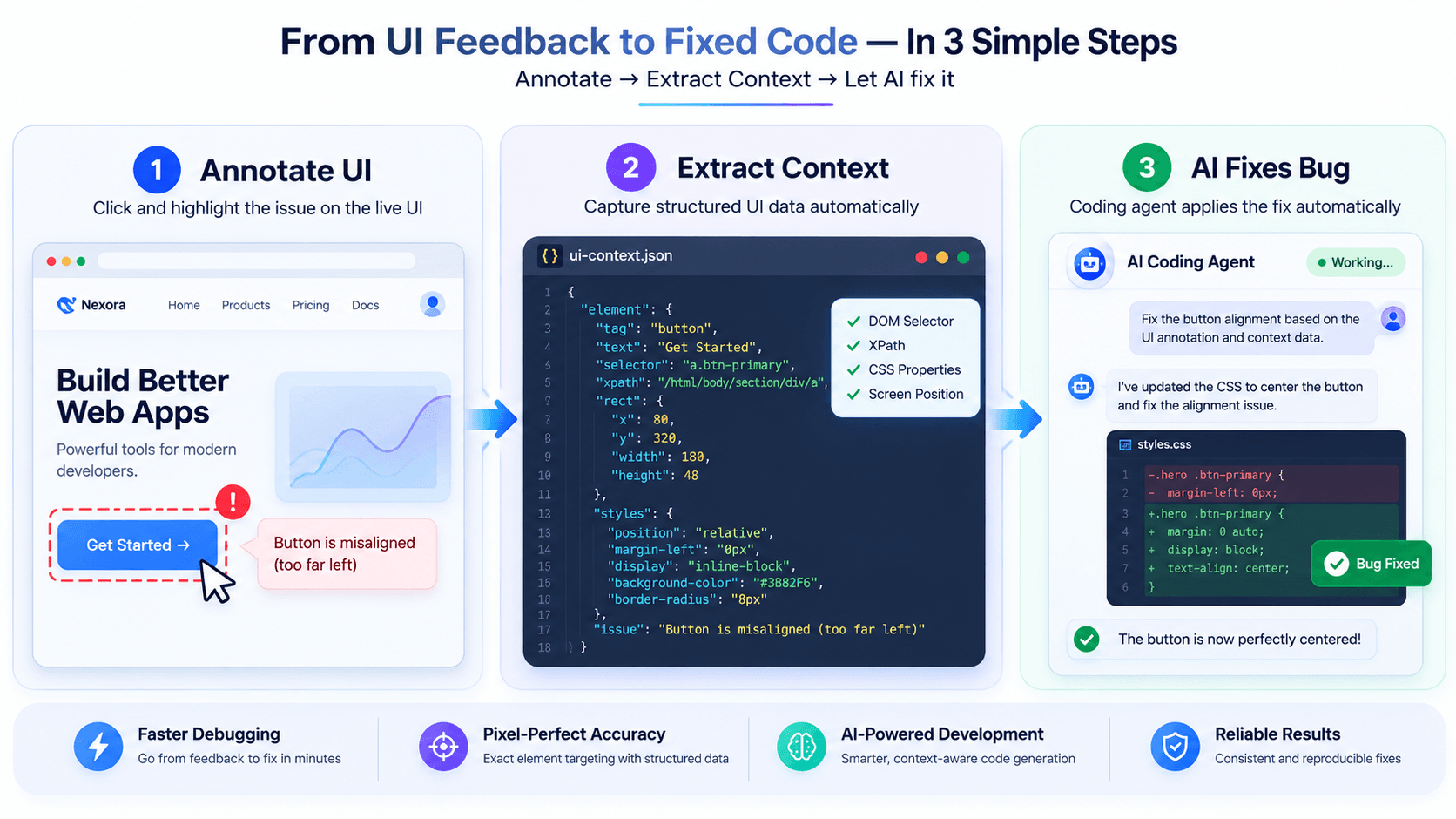
Agentation solves this by capturing the exact state of the UI at the moment the bug is spotted. When you click an element, it pulls that element's DOM selector, its current CSS properties, its surrounding text, and its exact position on screen removing the guesswork entirely.
How Agentation Works (Key Features)
Agentation is lightweight and unobtrusive, adding a small annotation layer directly to your local development environment or staging server.
- Agent-agnostic architecture : Agentation isn't locked to one ecosystem. Whether you're prompting a local LLM, using Cursor, or sending instructions to a cloud-based agent, its structured output format works everywhere.
- Smart context extraction :Clicking an element doesn't just record your note. Agentation automatically bundles the click with the element's XPath, unique classes, and relevant text content.
- Visual feedback translation :It turns vague instructions like "make this look better" into precise data, e.g.: Element
.btn-primaryis currentlymargin-top: 0px. User note: "Add 16px spacing from the heading above." - Free for internal use : Agentation is free for individuals and companies for internal debugging, personal projects, and team feedback workflows.
How to Install and Use Agentation
Integrating Agentation into your workflow takes minimal setup. It's available as an npm package for modern frontend frameworks, or as a browser extension for testing live pages.
Step 1: Install the tool
For local development, install the agent-agnostic visual feedback tool directly into your React, Vue, or Next.js project via npm. If you're testing a live staging environment instead, use the Agentation Chrome Extension to overlay the toolbar on any web page.
Step 2: Annotate the bug
Once activated, a floating toolbar appears on your UI. Click the problematic element, highlight specific text if needed, and type a brief note explaining the desired change.
Step 3: Generate and paste context
Agentation instantly compiles your visual note and the underlying DOM data into a structured, copy-pasteable block. Copy this output and paste it directly into your AI coding agent's chat window or prompt field the AI now has the exact selectors and context it needs to fix the code correctly on the first try.
Best Practices for Prompting AI Agents With Agentation Data
Agentation gives you the structural context, but how you frame the prompt around it still matters:
- Combine Agentation output with high-level intent. After pasting the structured data, add one sentence stating the goal e.g., "Update the CSS to match our mobile-first design system constraints."
- Verify the scope. AI agents sometimes over-correct. Tell the AI to only modify the specific DOM selectors provided in the Agentation output, so it doesn't rewrite unrelated components.
- Debug iteratively. For complex UI overhauls, tackle bugs one at a time fix header spacing, let the AI write the code, then use Agentation again for the footer. This avoids overloading the context window.
Agentation vs. Traditional Bug Reporting
For teams shipping AI-generated code, traditional bug reporting falls short. A screenshot attached to a Jira ticket helps human developers, but AI agents can't natively process image attachments to write CSS.
Long descriptive paragraphs "the blue button on the right side of the navbar is overlapping the cart icon on an iPhone 14 screen" waste context-window tokens and often confuse the model. Agentation removes this friction by handing the AI the exact structural data it needs, shortening the feedback loop and improving the accuracy of AI-generated frontend fixes.
Frequently Asked Questions
Is Agentation free to use? Yes. Agentation is free for individuals and companies for internal use, making it accessible for debugging personal projects or streamlining private team workflows.
Does Agentation work with Cursor and GitHub Copilot? Yes. Because Agentation is agent-agnostic, its structured text output can be pasted directly into the chat interfaces of Cursor, GitHub Copilot, Windsurf, or any other AI coding assistant.
Can I use Agentation for staging or production environments? Yes. It integrates into local development via npm, and the Chrome extension lets you annotate and generate feedback on live staging or production sites without touching the source code.
Does Agentation send my code to external servers? No. Agentation runs locally in your browser or dev environment. It extracts DOM data and formats it into text on your clipboard your code and UI designs stay private.
Conclusion
As AI coding agents become a standard part of the software development lifecycle, the bottleneck has shifted from writing code to reviewing and correcting the AI's visual output. Agentation closes the communication gap between human developers and AI assistants turning visual UI annotations into structured, machine-readable context so teams can debug AI-generated frontend code faster, cut down on hallucinated fixes, and ship pixel-perfect interfaces with confidence.
If you're building web applications with AI, integrating Agentation into your local workflow is a practical next step toward more efficient prompting.