
WhatsApp Business Automation: Official API vs. Open-WA Guide
Published on Recently
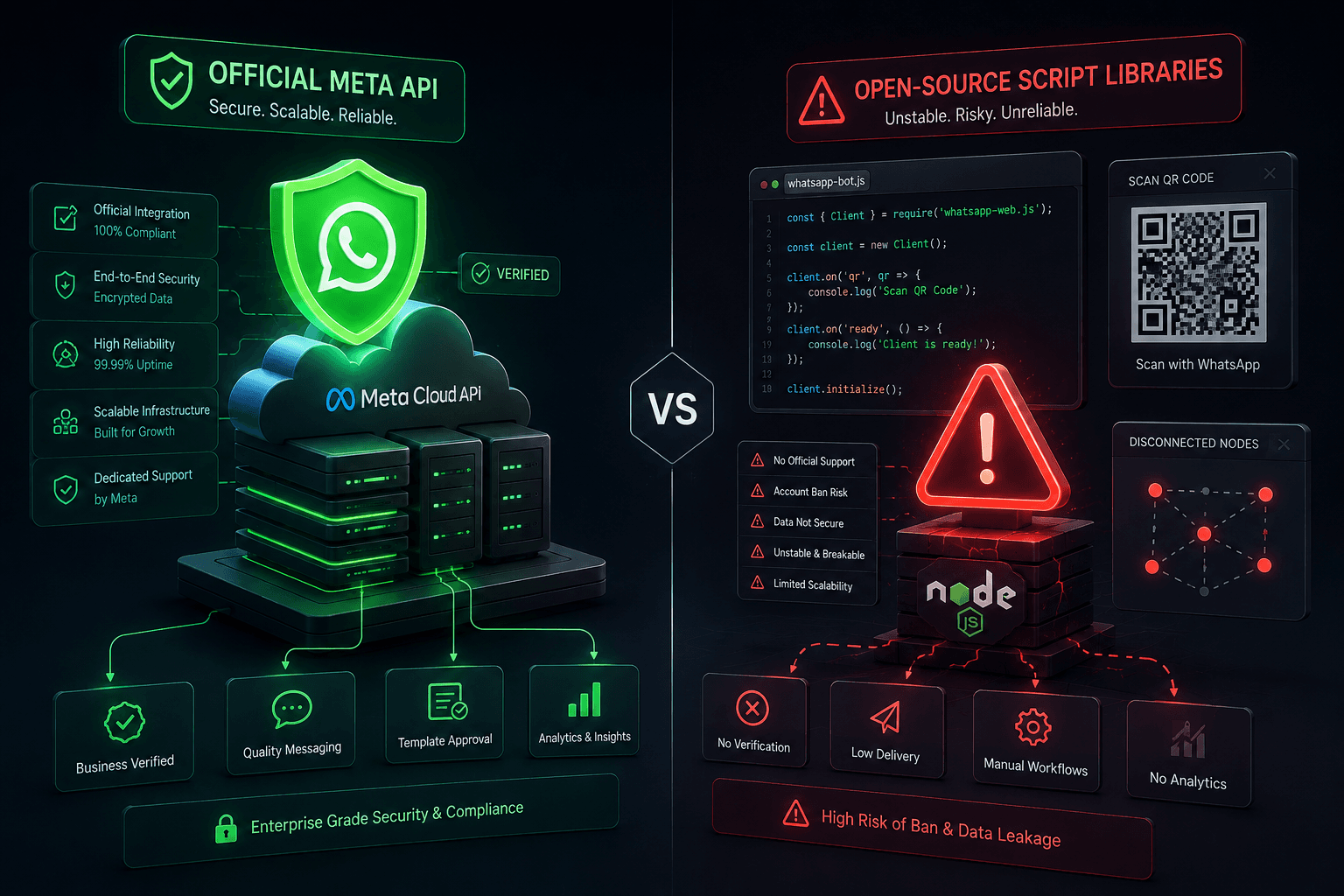
WhatsApp Business Automation: Official API vs. Open-WA
The best approach to WhatsApp Business automation depends on your scale and risk tolerance. For legitimate, scalable, and safe business messaging, the official Meta WhatsApp Business API is the only recommended path. Unofficial Node.js libraries like open-wa (wa-automate-nodejs) can be useful for internal prototyping or personal projects, but they violate Meta’s Terms of Service and carry a high risk of permanent number banning.
Understanding Your WhatsApp Automation Options
If you are searching for ways to automate WhatsApp messages, you are likely trying to solve a specific business problem: sending order notifications, building a customer support chatbot, or running marketing campaigns.
However, the internet is full of conflicting advice. Some tutorials promote unofficial, free Node.js libraries as "hacks" to bypass Meta’s rules, while others insist the official API is too complex or expensive.
To make the right decision, you need to understand the three distinct tiers of WhatsApp automation:
WhatsApp Business App: Free, manual, designed for solopreneurs and very small teams.
Official Meta WhatsApp Business API: Scalable, secure, requires approval, and operates on a conversation-based pricing model.
Unofficial Automation Libraries (e.g., open-wa): Headless browser wrappers that simulate a real user. Highly flexible but inherently risky.
Official Meta WhatsApp Business API: The Safe, Scalable Choice
For any business that values its customer communication channel, the official API is the industry standard. It is designed specifically for medium to large-scale automation, ensuring high deliverability and zero risk of arbitrary bans (provided you follow Meta’s commerce and messaging policies).
Key Benefits:
- Guaranteed Deliverability: Messages are routed through Meta’s official servers, ensuring they reach your customers reliably.
- Advanced Features: Access to interactive messages (buttons, lists), official green verification badges, and seamless integration with CRM platforms.
- Scalability: Handle thousands of concurrent conversations without performance degradation.
- Compliance: Built-in opt-in management and template message approvals keep your business compliant with global data privacy laws (like GDPR).
To get started, you must work through a Meta Business Partner (BSP) or directly via Meta’s Cloud API. You can review the official technical requirements and setup guides in the <a href="https://developers.facebook.com/documentation/business-messaging/whatsapp/overview" target="_blank" rel="noopener noreferrer">Meta WhatsApp Business API Documentation</a>. For general business inquiries, the <a href="https://whatsappbusiness.com/" target="_blank" rel="noopener noreferrer">Official WhatsApp Business Website</a> provides foundational overviews of enterprise capabilities.
Open-WA (wa-automate-nodejs): When to Use It (and the Risks)
<a href="https://github.com/open-wa/wa-automate-nodejs" target="_blank" rel="noopener noreferrer">open-wa/wa-automate-nodejs</a> is a popular, powerful Node.js library that automates WhatsApp Web. It works by spinning up a headless browser, scanning a QR code, and intercepting network requests to send and receive messages programmatically.
Developers often gravitate toward it because it is free, highly customizable, and does not require Meta’s template approval process.
The Hidden Risks:
- High Ban Risk: Meta actively detects and bans accounts using unofficial clients. If your business number is banned, recovering it is difficult and can permanently sever your customer communication line.
- Fragility: Because it relies on reverse-engineering WhatsApp Web, any update Meta makes to the web interface can break the library until the open-source community patches it.
- No Official Support: You are entirely reliant on community forums and GitHub issues for troubleshooting.
When is it acceptable?
Unofficial libraries are only advisable for strictly internal, low-risk tools (e.g., a personal script to send yourself daily server alerts) or early-stage prototyping where the phone number used is disposable and not tied to your actual business identity. You can explore its technical capabilities at <a href="https://openwa.dev/k.new" target="_blank" rel="noopener noreferrer">openwa.dev</a>, but proceed with caution.
How to Choose the Right Path for Your Business
Use this quick decision framework to select the right tool for your needs:
Your Use Case
Recommended Solution
Why?
Customer support chatbot for a real business
Official Meta API
Protects your brand reputation and ensures reliable, uninterrupted service.
Sending promotional marketing blasts
Official Meta API
Required for legal compliance, opt-in tracking, and avoiding immediate spam bans.
Personal project / learning Node.js
open-wa
Great for learning automation concepts without financial commitment.
Internal team notifications (disposable number)
open-wa
Acceptable risk if the number is not customer-facing and can be easily replaced.
Common Myth Debunked:
Myth: "The official WhatsApp API is too expensive for small businesses."
Reality: Meta offers a generous free tier (typically 1,000 free service conversations per month). For many small businesses, the official API costs less than $10/month, making it far more cost-effective than the hidden cost of losing a banned business phone number.
Frequently Asked Questions
Is open-wa safe to use for my business WhatsApp number?
No. Using unofficial libraries like open-wa violates Meta’s Terms of Service. Meta’s automated systems frequently detect and permanently ban numbers associated with unofficial clients, which can destroy your business’s primary communication channel.
How much does the official WhatsApp Business API cost?
Meta charges per 24-hour conversation window, categorized by type (marketing, utility, authentication, or service). The first 1,000 service conversations per month are free. Beyond that, pricing varies slightly by country but is generally fractions of a cent per conversation.
Can I migrate from open-wa to the official API later?
Yes, but you cannot directly "transfer" your unofficial automation code. You will need to rewrite your logic to use the official API’s webhook and message-sending endpoints. It is highly recommended to start with the official API if the project is business-critical.
Do I need a developer to use the official WhatsApp API?
While you can use no-code platforms (like ManyChat or Twilio) to connect to the API without coding, custom integrations with your existing database or CRM will require a developer familiar with REST APIs and webhook handling.
Conclusion
Choosing the right WhatsApp Business automation tool comes down to respecting the platform’s rules and protecting your business assets. While open-source projects like open-wa offer fascinating technical flexibility for developers and hobbyists, they are fundamentally incompatible with sustainable business operations.
- Investing the time to set up the <a href="https://developers.facebook.com/documentation/business-messaging/whatsapp/overview" target="_blank" rel="noopener noreferrer">official Meta WhatsApp Business API</a> ensures your messages are delivered, your customers are served reliably, and your business remains compliant. Build on a foundation that won’t disappear with a single platform update.