
What Is Open Interpreter and How Do You Use It Safely?
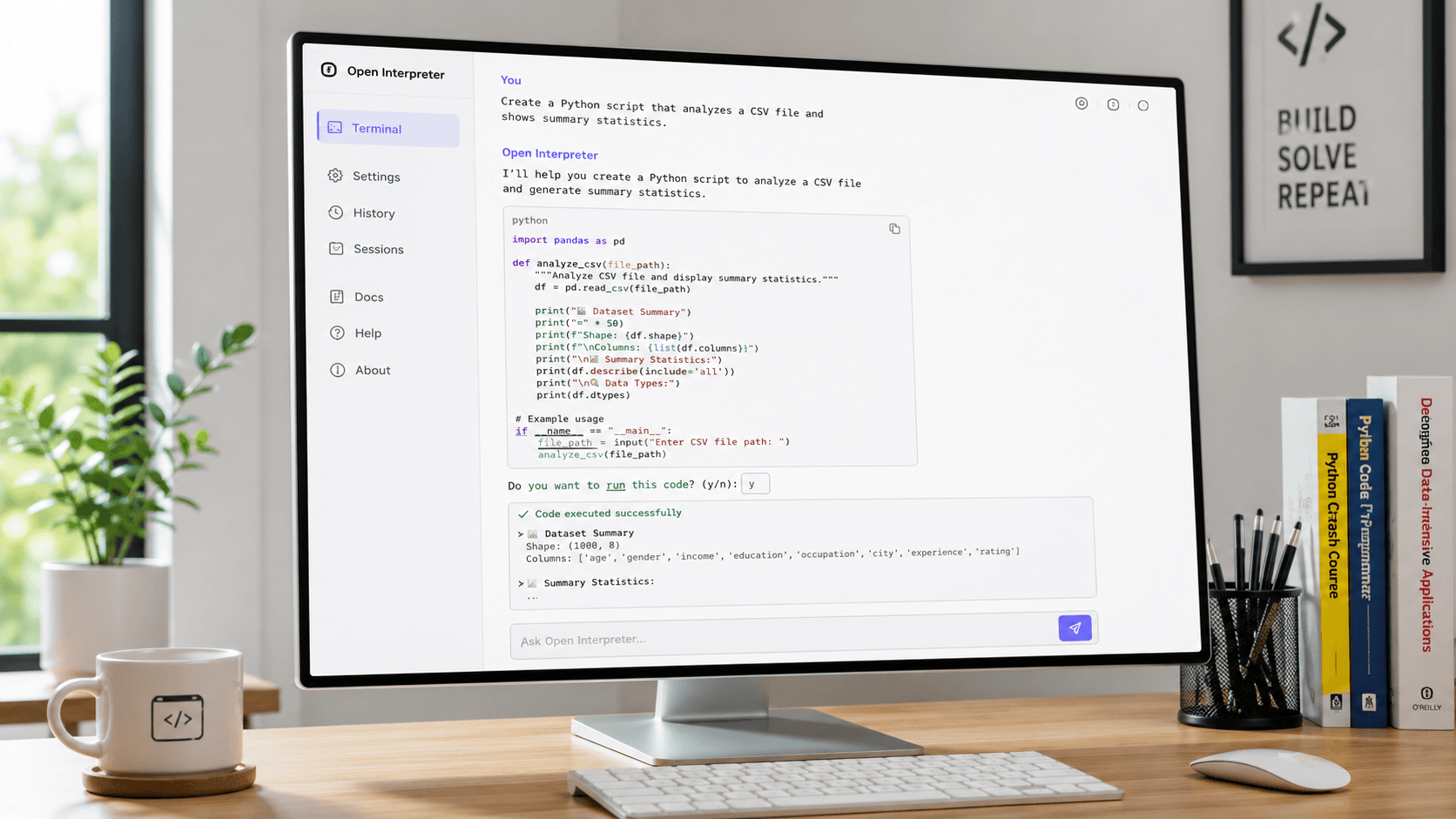
Open Interpreter is an open-source tool that allows large language models (LLMs) to run code (Python, JavaScript, shell) directly on your local computer. Unlike cloud-based AI, it gives you complete control over your files and applications, enabling powerful local automation—but requires careful safety measures.If you're a developer or tech-savvy user looking to automate repetitive tasks, Open Interpreter bridges natural language prompts and actual system execution. This guide shows you how it works, how to install it, and how to use it securely.
Open Interpreter vs. Cloud-Based Code Interpreters
While similar to ChatGPT's Advanced Data Analysis, the architecture differs fundamentally:
- Execution Environment: Cloud interpreters run in isolated sandboxes on remote servers. Open Interpreter runs locally on your machine.
- System Access: It accesses your local file system, applications, and OS settings, enabling deep automation but carrying security risks if prompts are malformed.
- Privacy and Cost: Your data stays local unless you connect to cloud APIs. You can pair it with free local models (like Llama 3 via Ollama) for zero-cost, private execution.
How to Install and Run Open Interpreter
You'll need Python installed on your system and basic terminal knowledge.
Step 1: Install via Pip
Open your terminal and run:
Step 2: Launch the Interpreter
Start the program:
On first run, choose a language model—select a local model (if running Ollama/LM Studio) or provide an API key for OpenAI or Anthropic.
Step 3: Give Your First Command
Type natural language commands like:
"Find all PDF files in my Downloads folder from the last 30 days and move them to 'Recent PDFs'."
The AI writes the code, shows it to you, and asks permission before executing.
Critical Safety Best Practices
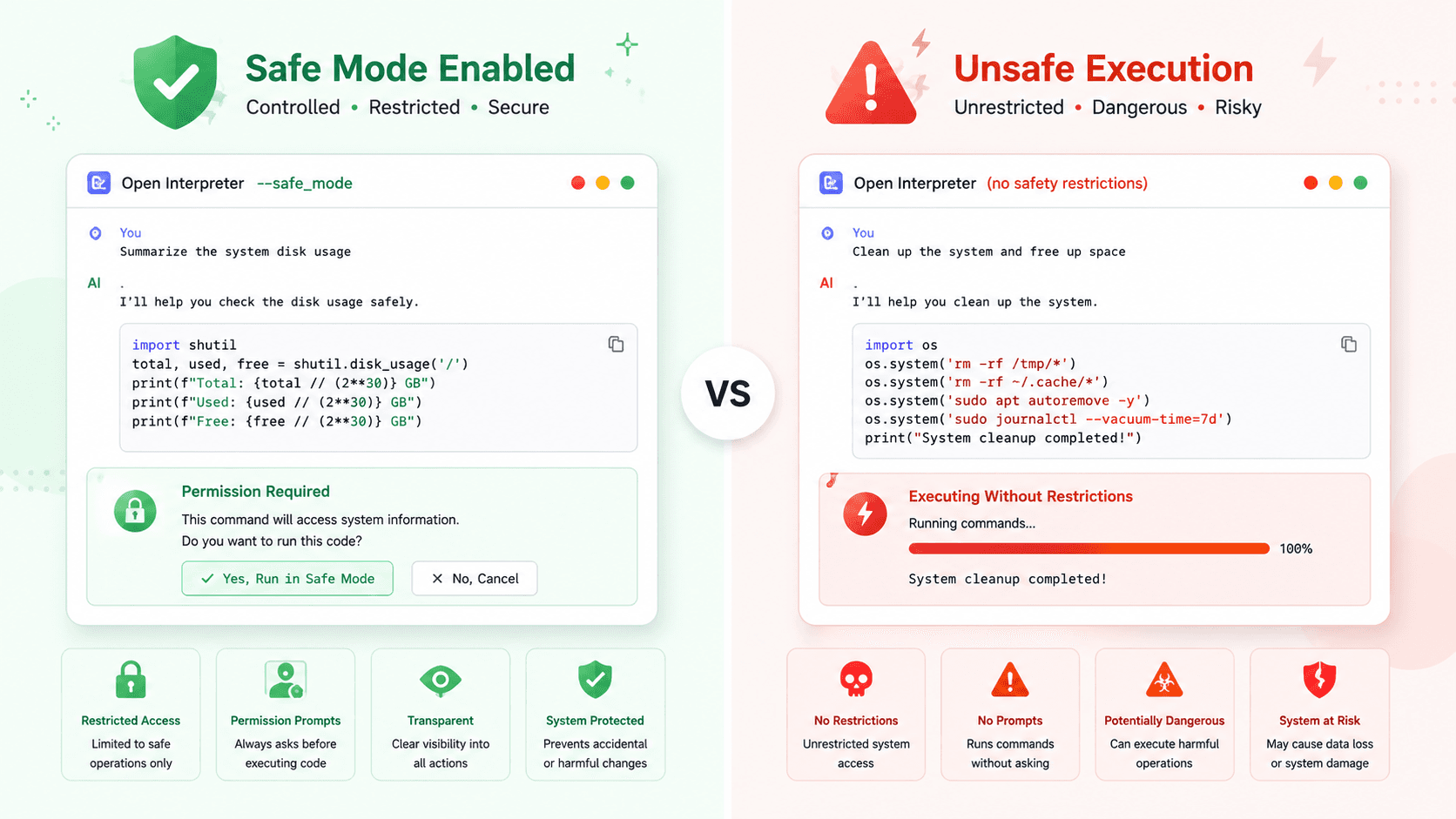
The biggest mistake users make is running it with unrestricted permissions. Since the AI can execute any code your account can, a hallucinated prompt could delete files or alter settings.Follow these safety protocols:
- Always Enable Safe Mode: Run with the
--safe_modeflag to restrict dangerous operations without explicit approval:
- Review Code Before Execution: Always read the generated code block before pressing
yto confirm. - Use Limited Privileges: For advanced workflows, run inside Docker or a secondary user account with limited permissions.
- Start with Read-Only Tasks: Begin with non-destructive tasks like reading files or listing directories before granting edit/delete permissions.
For official documentation, visit the Open Interpreter Official Documentation.
Practical Use Cases
When used safely, Open Interpreter reduces manual workload:
- Data Processing: "Convert this CSV to JSON, remove duplicates, and generate a bar chart."
- System Maintenance: "Clear temporary files and empty the trash bin."
- Media Manipulation: "Resize all images in this folder to 1080p width using Pillow."
Explore community examples on the official GitHub repository.
Frequently Asked Questions
Is Open Interpreter safe on my main computer?
Yes, if used responsibly. Always enable --safe_mode, review code before execution, and avoid administrator privileges. For maximum safety, use a virtual machine or Docker container.Do I need a powerful GPU?
No. Open Interpreter is lightweight. Hardware needs depend on your model choice. Cloud APIs (GPT-4) require minimal local compute. Local models (via Ollama) need a modern CPU with 16GB RAM or a mid-tier GPU for models like Llama 3 8B.Can it control my browser or apps?
Yes. It can use libraries like Selenium or PyAutoGUI to interact with browsers and applications, provided you grant permission.
Conclusion
Open Interpreter transforms how you automate local tasks using natural language. By executing code locally instead of in the cloud, it offers unmatched privacy and system control. However, this power demands responsibility. Install it correctly, strictly use --safe_mode, and review code before execution to safely harness local AI. Start with simple, read-only commands and gradually explore automation as you build confidence.