
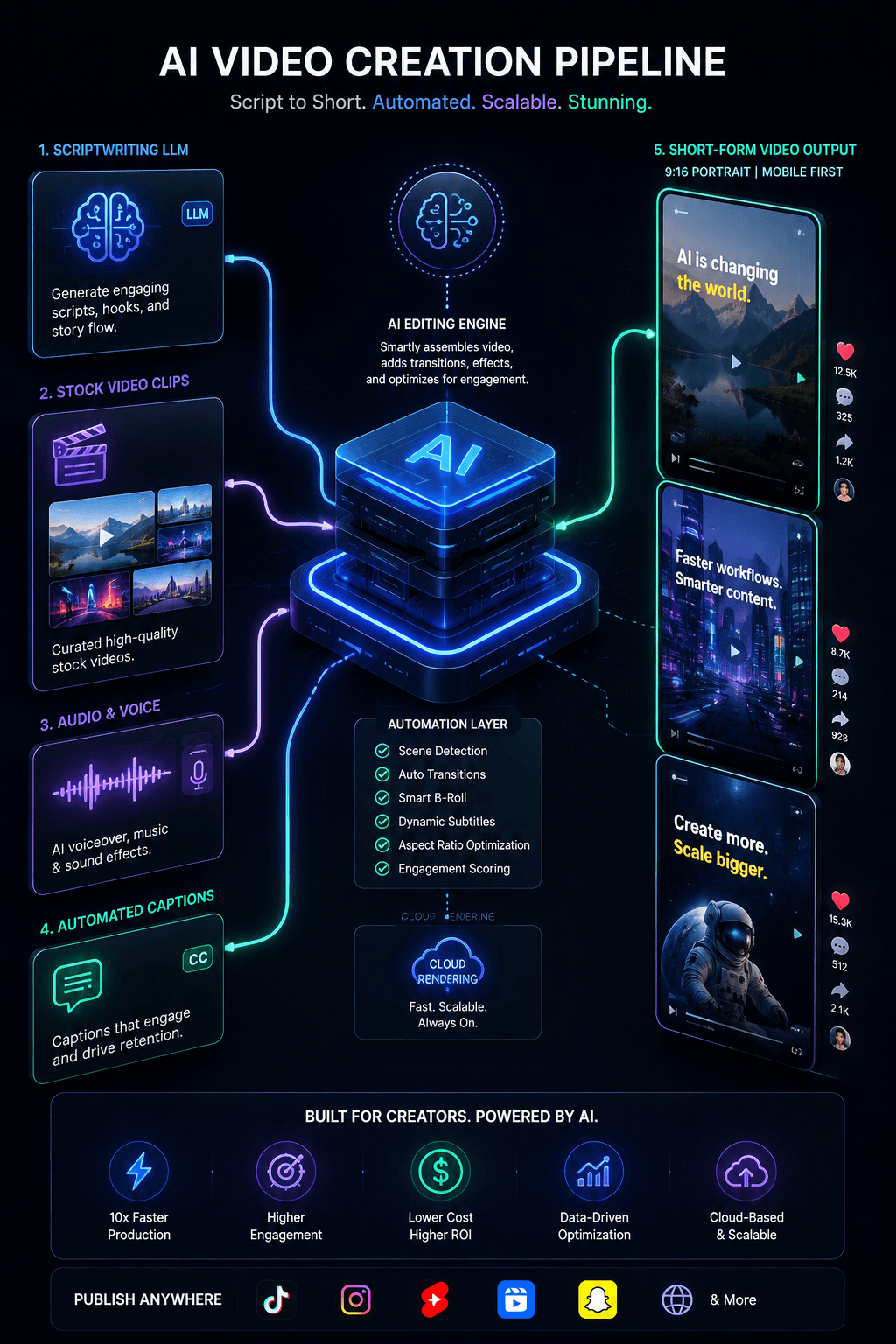
MoneyPrinterTurbo: The Complete Guide to the Open-Source AI Video Generator
MoneyPrinterTurbo is an open-source Python workflow that automates short-form video creation for TikTok, YouTube Shorts, and Instagram Reels. By entering a topic, it uses AI to write scripts, source stock footage, generate voiceovers, and add subtitles. While the code is free, successful use requires managing API costs and human quality control.
If you are tired of manual video editing and want to scale your content production, this tool offers a powerful pipeline. However, navigating its setup, hidden operational costs, and platform monetization rules is critical to avoiding wasted time and rejected channels. For creators interested in comparing automated stock-stitching workflows with multi-modal generative video tools, explore our deep dive on Google Flow: The Ultimate AI Creative Studio.
What Is MoneyPrinterTurbo and Who Is It For?
Maintained by developer harry0703, MoneyPrinterTurbo is an MIT-licensed project with over 110,000 GitHub stars. It is designed for content creators, digital marketers, indie hackers, and developers who want to automate "faceless" video channels or streamline repetitive video production tasks.
Important clarification: MoneyPrinterTurbo is an orchestrator, not a generative video model. It does not synthesize every pixel from scratch like advanced AI video models. Instead, it intelligently stitches together existing assets. It asks a Large Language Model (LLM) for a script and search terms, retrieves matching clips from free stock libraries (or your local files), generates speech, times the subtitles, and composes the final MP4. This makes it significantly faster and cheaper than pure generative video stacks, though visual relevance depends on the quality of the stock footage retrieved.
How MoneyPrinterTurbo Actually Works
The workflow transforms a simple text prompt into a finished video through a logical, six-step pipeline:
Brief Input: You provide a topic, keyword, or custom script, along with format preferences (9:16 portrait or 16:9 landscape).
Script & Search Planning: A configured LLM (like OpenAI, Kimi, or Claude) writes the narration and proposes specific footage keywords.
Material Retrieval: The system searches supported free stock libraries like Pexels, Pixabay, and Coverr, or pulls from your local media folder.
Voice & Captions: A Text-to-Speech (TTS) provider (such as the free Edge TTS or premium ElevenLabs) generates the voiceover, while Edge timestamps or local Whisper models create synchronized subtitles.
Composition: The pipeline merges the footage, narration, subtitles, and background music into one or more video variants.
Review & Release: A human reviews the output. Optionally, it can push the approved video directly to TikTok, Instagram, or YouTube Shorts via API.
The Truth About Costs: Is It Really Free?
A common myth in online creator communities is that tools like this are a "free money printer." While the MoneyPrinterTurbo source code is completely free under the MIT license, a dependable, scalable content operation is not free.
You will encounter variable costs depending on your chosen path:
- Script Generation: Free if you run a local LLM (like Ollama), but incurs per-token costs if you use cloud APIs (OpenAI, Anthropic, etc.).
- Voice Synthesis: Edge TTS is free and requires no API key, but premium voices (ElevenLabs, Azure) charge per character.
- Compute & Storage: Running the tool locally requires CPU/RAM resources. If you process heavy batches or use local Whisper transcription, a dedicated GPU becomes highly beneficial.
- Human Review: The most hidden cost is time. If you generate five variants and only one passes quality control, the failed renders still consumed API tokens, compute, and your attention.
Always calculate your cost per approved video, not just your cost per render.
How to Avoid Platform Demonetization Traps
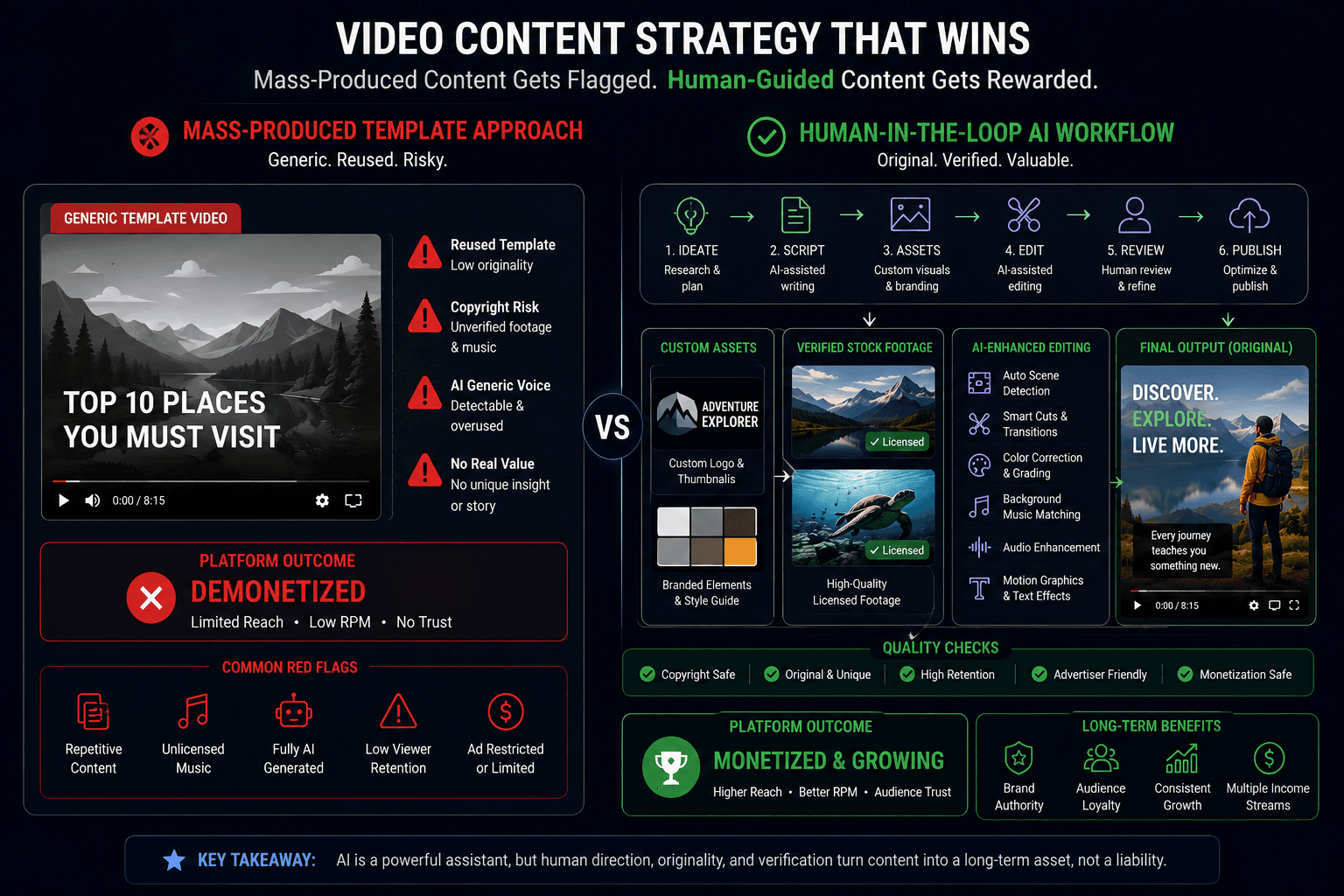
Automating video creation introduces a major business risk: platform policies. YouTube and TikTok actively demonetize channels that publish mass-produced, generic, or repetitive content with minimal added value.
A workflow that simply swaps one keyword into the same stock-footage template will eventually trigger "reused content" flags. To protect your channel and ensure monetization eligibility:
- Add Unique Value: Incorporate original reporting, proprietary demonstrations, or a recurring narrative style.
- Use Owned Assets: Rely less on blind stock searches. Upload your own product footage, custom graphics, or branded templates.
- Mandate Human Approval: Never fully automate the publishing step without a human gatekeeper checking for factual accuracy, brand safety, and subtitle readability.
- Understand Media Rights: The MIT license covers the code, not the output. Ensure your stock footage, background music, and voiceovers comply with commercial use terms. For example, review the Pexels License to understand restrictions on recognizable people or brands.
For detailed platform rules, always refer to official guidelines like YouTube's Reused Content Policy.
Quick Setup Options
You do not need to be a senior software engineer to get started. Choose the path that matches your technical comfort level:
- Windows One-Click Package: Best for beginners. Download the latest release from GitHub, extract it, and run start.bat. It handles most dependencies automatically.
- Docker Deployment: Best for developers and teams. Provides an isolated, repeatable environment. Run docker compose -f docker-compose.release.yml up to keep services secure and bound to your local network.
- Google Colab: Best for testing without local installation. You can run the workflow in the cloud, though session limits apply.